Need Any help!

Samuel Uloko Alechenu
Program Officer

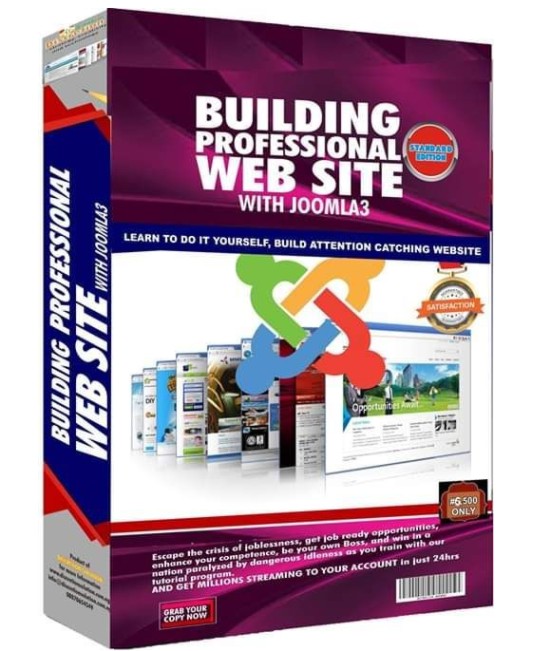
MOUDULE 1: INTRODUCTION
1.1 Introduction to Joomla 3 Training Program
1.2 General Overview of the Finished Website
1.3 Requirements for Building a Website
1.4 Installation of Joomla 3
1.5 Introduction of Joomla CPanel
1.6 Joomla Extension Installer
1.7 Installing Akeeba
MOUDULE 2: ADDING CONTENT
2.1 Installing JCE
2.2 Create Categories
2.3 Adding the Home Page
2.4 Adding the About Us Page
2.5 Our Products
2.6 Timed Content News
2.7 Contact Us page
2.8 Captcha
2.9 Articles Options
2.10 Protecting Web Content
2.11 Article Tags
MOUDULE 3: INTRODUCTION TO EXTENSIONS
3.1 Definition of Terminologies
3.2 The Template
3.3 Template Positions
3.4 Main Menue
3.5 Adding Slideshow
3.6 Random Image
3.7 Article Comment
3.8 Adding Smart Search
3.9 Newsflash
3.10 Breadcrumb
MOUDULE 4: MODULES & COMPONENT
4.1 Login Module
4.2 Privacy Policy
4.3 Custom HTML
4.4 Online Now
4.5 Creating Poll
4.6 Creating Form
4.7 Displaying Modules in Articles
4.8 Article Title Slides
4.9 Displaying Calendar
4.10 Website disclaimer
4.11 Insert Sliders and Link Articles
4.12 Inserting Popup in Article
4.13 How to Remove Joomla Extension
MOUDULE 5: SOCIAL MEDIA INTEGRATION
5.1 Adding Facebook Display
5.2 Adding Social Media Link
5.3 Adding Facebook/Twitter Slidder
5.4 Social Media Share, Content
5.5 Twitter Feeds
5.6 Embede Youtube Video
5.7 On-screen Facebook likebox
5.8 Youtube Video Popup in Article
5.9 Notification Message Bar
MOUDULE 6: CUSTOMIZING YOUR WEBSITE
6.1 Google Maps
6.2 Live Support
6.3 Site Map
6.4 SEF URL
6.5 Adding Custom Contact Form
6.6 Redirect URL
6.7 Photo Gallery
6.8 Creating Countdown
6.9 Adding Terms and Condition
6.10 RSS Feeds
6.11 Embeding Google Maps in Article
MOUDULE 7: SELF BRANDING YOUR WEBSITE
7.1 Installing Template
7.2 Web Mail Accounts
7.3 Mail Setup
7.4 Creating External Links
7.5 Creating Team
7.6 Adding Users
7.7 Creating Social Forum
7.8 Adding Downloadable Files
7.9 Web Push Notification
7.10 Adding Banner
7.11 Share to Unlock for Free Downlad
MOUDULE 8: FINISHING YOUR WEBSITE
8.1 Joomla Extension Updates
8.2 Changing Joomla Admin Details
8.3 Google analytics
8.4 Customize Favicon
8.5 Cpanel Password Reset
8.6 Akeeba Backup
8.7 Backup with Softaculous
8.8 Handling PHP Notices, Warnings and Errors
8.9 Creating a sub-domain
8.10 Managing Addon Domain
MOUDULE 9: MONETIZE YOUR WEBSITE
9.1 E-Commerce- Installation of Virtuemart Component
9.2 Vendor setup
9.3 Store Configuration
9.4 Creating Product Category in Main Menu
9.5 Adding Sub categories to Menue
9.6 Creating Product attributes
9.7 Payment Method
9.8 Shipment Method
9.9 Deleting "No Additional Charge" text
9.10 Configuring ReviewAnd Rating System on Your Oline-storen
9.11 Adding Social Media Button to OnlineStore
9.12 Linking Online Store subdomain to the Main Website
MOUDULE 10: DIGITAL MARKETING
10.1 Settin-up Google Adsense Account
10.2 Displaying Google Ads on your Website
10.3 Creating a Youtube Channel
10.4 Monetizing your Youtube-Channel and getting Paid
10.5 Adding Youtube Gallery to your Website
10.6 Creating Youtube Subscribe Link on Your Website
10.7 Setting-up Newsletter
10.8 Newsletter Subscription
Copyright (c) 2019 Discretion Solution
| Sunday | Monday | Tuesday | Wednesday | Thursday | Friday | Saturday |
|---|---|---|---|---|---|---|
|
|

Website Design Instructor , Discretion Solution
Solution-driven Web & App developer adept at contributing to highly collaborative work environments and finding solutions. Very proficient in CMS; Joomla, WordPress, Drupal, Magento, HTML, CSS, PHP and JavaScript
Please insert your API key for . mailchimp.